
RPPR Process Guide
Section 1-Materials/Information Needed
In order to complete the RPPR, PIs will need the following:
- All documents to upload in pdf format.
- If necessary, Subrecipient:
- Projected unobligated balance at the end of the budget year.
- Updated Other Personnel.
- All Personnel Report (including Commons ID).
If you need the point of contact for the subrecipient please e-mail spsacctmgmt@purdue.edu indicating the subaward number and the information will be sent to you.
- A Commons ID for participants that need to be listed for question D.1 (What individuals have worked on the project?).
- If a participant does not have a Commons ID, e-mail spsacctmgmt@purdue.edu with the name(s) and email address(s) of the participant and one will be created.
- The effort each participant worked. (Note: NIH defines effort on the project as all effort by the person regardless of the source of compensation).
- Information regarding what personnel were paid on the project can be obtained through your business office. Information for the business office on how to run a payroll charge report can be found in Appendix A of this document.
- The estimated final balance of the grant at the end of the budget year for Question G.10 (Is it anticipated that an estimated unobligated balance (including prior year carryover) will be greater than 25% of the current year's total approved budget?).
- Please note that a current year’s total approved budget equals the current fiscal year award authorization plus any approved carryover of funds from a prior year(s).
- The current fiscal year award authorization is equal to the amount funded in the most recent award notification. The award notification can be located in the commons.
- The amount of carryover funds is equal to remaining balance as of the last month of the previous reporting period.
- Ensure publications are within the NIH Public Access Policy. If there are questions on what is considered to be in compliance or not, please visit http://publicaccess.nih.gov/index.htm and click on the section titled “Show me specific instructions for my publication” Screen shot is below:
- Please ensure that your uploaded information into section B.2. contains enough information to satisfy the conditions at the following NIH link: https://www.nih.gov/research-training/rigor-reproducibility
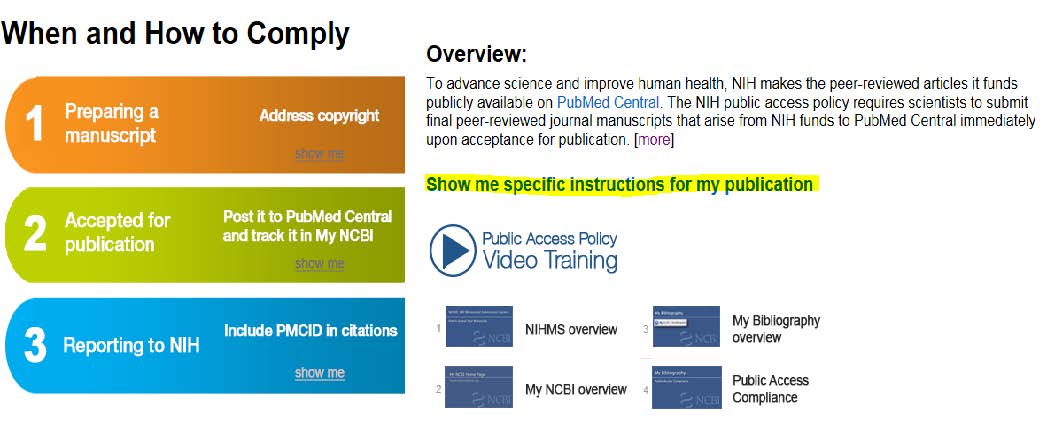
Click on highlighted field on the page.
Section II-How to begin RPPR submission
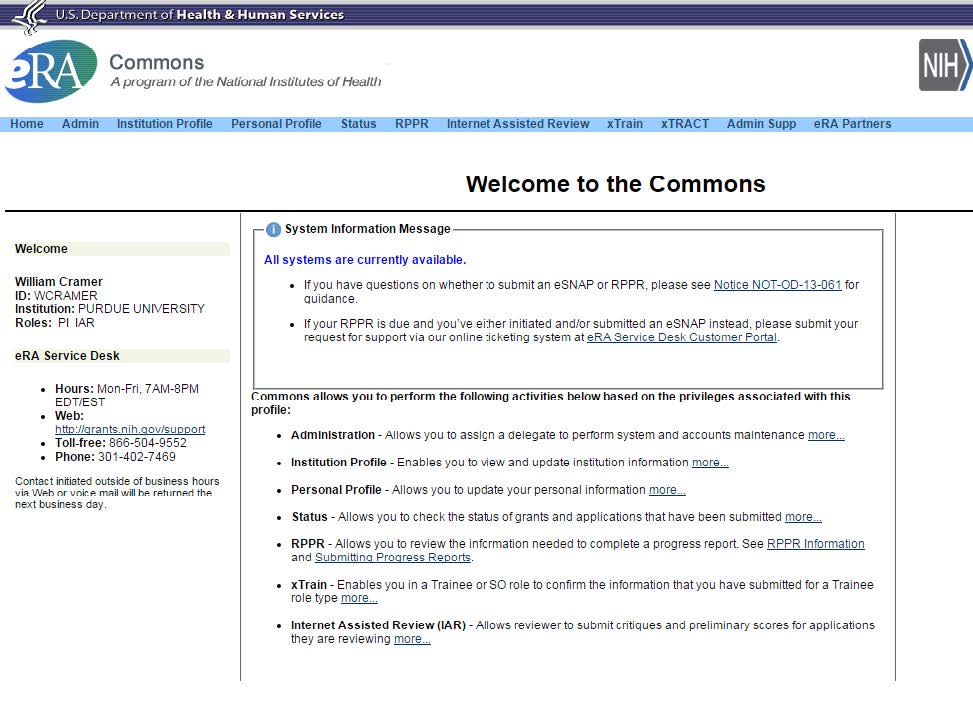
Login to the eCommons website at:
- In the PI’s Commons account, click RPPR.
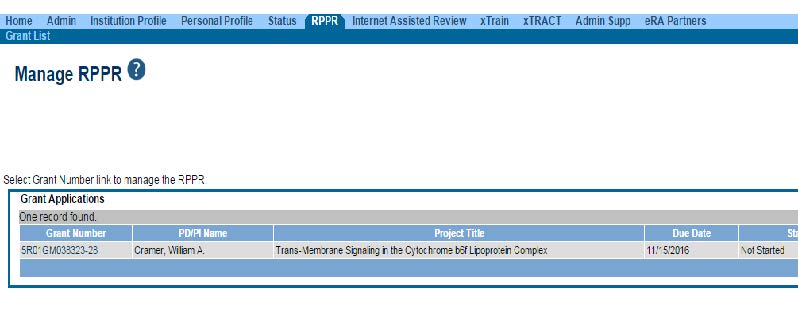
- Click the relevant Grant Number.
- Click Initiate.
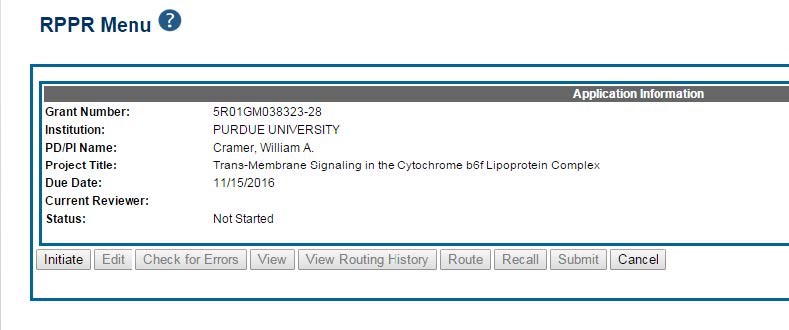
- Click Edit.
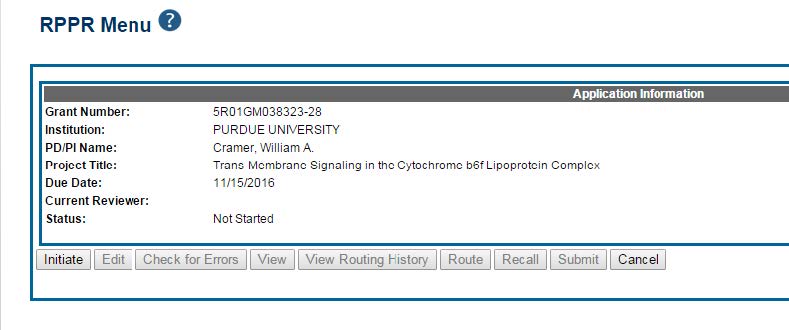
- For A. COVER PAGE, the PI will need to answer the following questions.
- Is there is change of contact PD/PI on a multiple-PI award? If so, a Commons ID will need to be provided.
- Select the Administrative Official & Signing Official. This will be the post award specialist that notified you of your pending RPPR submission.
- BE SURE TO PRESS SAVE BEFORE MOVING ON TO ANOTHER TAB. IF YOU GO TO ANOTHER PAGE WITHOUT SAVING ALL ENTERED INFORMATION WILL BE LOST.
- Enter all applicable information for tabs B-G. Once all information is entered, exit out to the RPPR menu.
- Click Check for Errors.
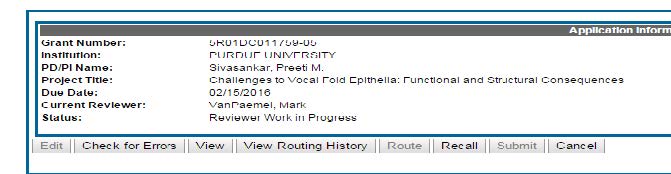
- Three common errors that show are:
- That a post doc, graduate student or undergraduate student’s account needs to be updated to be NIH compliant. THE ACCOUNT(S) NEED(S) TO BE UPDATED
PRIOR TO SUBMITTING THE RPPR OR THE INDIVIDUAL WILL NEED TO BE REMOVED FROM QUESTION D.1. - That a publication is not NIH public access compliant. THE RPPR CAN BE SUBMITTED IF THIS ERROR SHOWS. HOWEVER, FUNDING WILL NOT BE RELEASED UNTIL ALL PUBLICATIONS ASSOCIATED WITH THE AWARD UNDER QUESTION C.1.
- Human Subjects – please use this link for additional information and help regarding HS: Access Human Subjects System (HSS) (nih.gov)
- That a post doc, graduate student or undergraduate student’s account needs to be updated to be NIH compliant. THE ACCOUNT(S) NEED(S) TO BE UPDATED
- Three common errors that show are:
- Click View and double check all information entered prior to routing for approval.
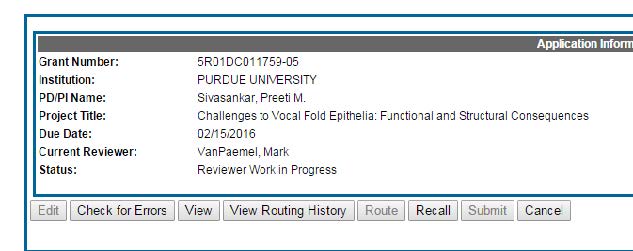
- Click Route and forward to the Research Administration Specialist (RAS) handling the submission.
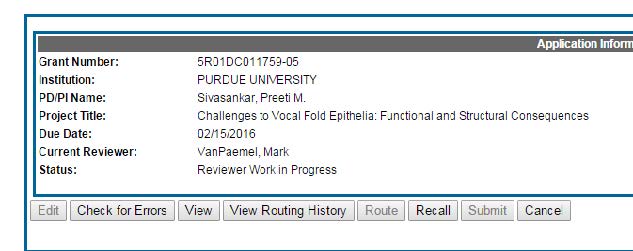
- The RAS will final review the information entered and submit. If there is anything that needs to be changed, the RAS will route the report back to the PI for it to be updated. Once it is updated, repeat Step 9.
If you wish to view the entire NIH RPPR process guide, it can be found at the following link:
http://grants.nih.gov/grants/rppr/rppr_instruction_guide.pdf
Appendix A
- There are several different ways to run a payroll charge report. The first is to run the report from the BI interface.
- Please keep in mind that when this report is run, you will need to identify those specific to the NIH grant you are looking at. All NIH grants will have the fund number of 46010000.
- The other way is within SAP, via the t-code ZHR_PAY_POSTING - Payroll Posting. If you need assistance with running this report, please contact your Business Manager or SPS Post-Award.
Should you have any questions on the RPPR please contact Account Management Team within Post-Award at: spsacctmgmt@purdue.edu
For any technical information questions (human subject reporting, technical reporting, non-compliant publications, etc) please contact your NIH program officer.
If there are any issues with the RPPR online application please visit (https://www.era.nih.gov/need-help) for assistance.
